
Managed OpenStack
Latest
Frequently Asked Questions
Solution
How To
Internal Only
Templates
Powered By

Title
Message
Create new category
What is the title of your new category?
Edit page index title
What is the title of the page index?
Edit category
What is the new title of your category?
Edit link
What is the new title and URL of your link?
Unable To Set Password For Registered Account Using "Set Password" Link Received on Email-ID
Copy Markdown
Open in ChatGPT
Open in Claude
Problem
Unable to set the password for User created in Platform9 Managed OpenStack environment using the set password link received in user's email address.
Environment
- Platform9 Managed OpenStack - All Versions.
Cause
- At the time of user creation in the PMO environment the admin has option to set the password for user or request user to set the password for himself by sending an activation link to the user's registered email address.
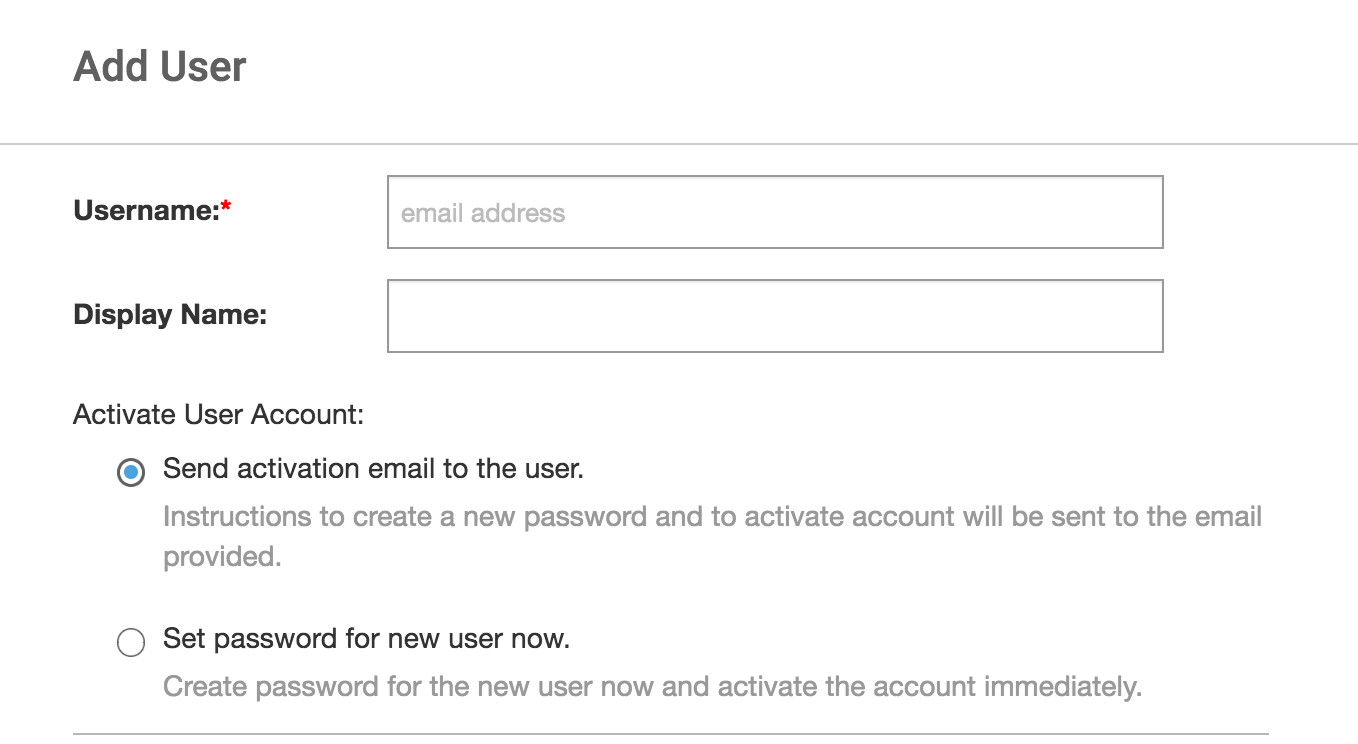
Screen_Shot_2021-01-22_at_2.26.31_PM.png
- The set password link is valid for only 24 hours after the initial notification is sent.
Resolution
Once the link expires the user will be redirected to a page with the option to request the set password link again for activation after clicking on the "Set Password" link in email. Also the user can select the forgot password option provided on their login page to set a new password.
VariableType to search · ESC to discard
GlossaryType to search · ESC to discard
InsertType to search · ESC to discard
No matches
Last updated on
Was this page helpful?
Discard Changes
Do you want to discard your current changes and overwrite with the template?
Archive Synced Block
Message
Create new Template
What is this template's title?
Delete Template
Message