
Managed OpenStack
Latest
Frequently Asked Questions
Solution
How To
Internal Only
Templates
Powered By

Title
Message
Create new category
What is the title of your new category?
Edit page index title
What is the title of the page index?
Edit category
What is the new title of your category?
Edit link
What is the new title and URL of your link?
Unable to Edit Volume With Error "No volume was found with this ID
Copy Markdown
Open in ChatGPT
Open in Claude
Problem
Users are unable to edit a volume with the following error observed in the UI.
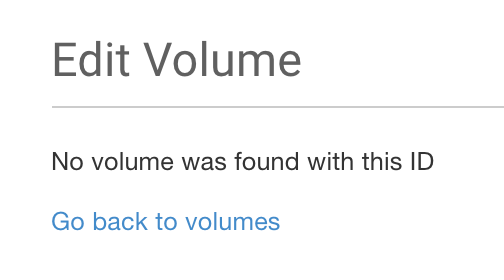
edb642f2-ee44-4303-93a7-253db4274690.png
Environment
- Platform9 Managed OpenStack - v4.4 and Higher
- Cinder
- Clarity UI
Cause
This is a known issue and we are working to modify the displayed error. The users are unable to edit a volume because the volume belongs to a different tenant.
Resolution
- In the Clarity UI, if you are an admin, scope to the tenant to which the volume belongs.
- Select the volume after scoping to the specific tenant and click on Edit.
VariableType to search · ESC to discard
GlossaryType to search · ESC to discard
InsertType to search · ESC to discard
No matches
Last updated on
Was this page helpful?
Next to read:
Instance Resize/Migration Failure due to low Disk SpaceDiscard Changes
Do you want to discard your current changes and overwrite with the template?
Archive Synced Block
Message
Create new Template
What is this template's title?
Delete Template
Message