
Managed OpenStack
Latest
How To Enable High Availability For Routers?
Problem
How to enable the high availability for routers
Environment
Platform9 Managed OpenStack - All Versions
Neutron
Procedure
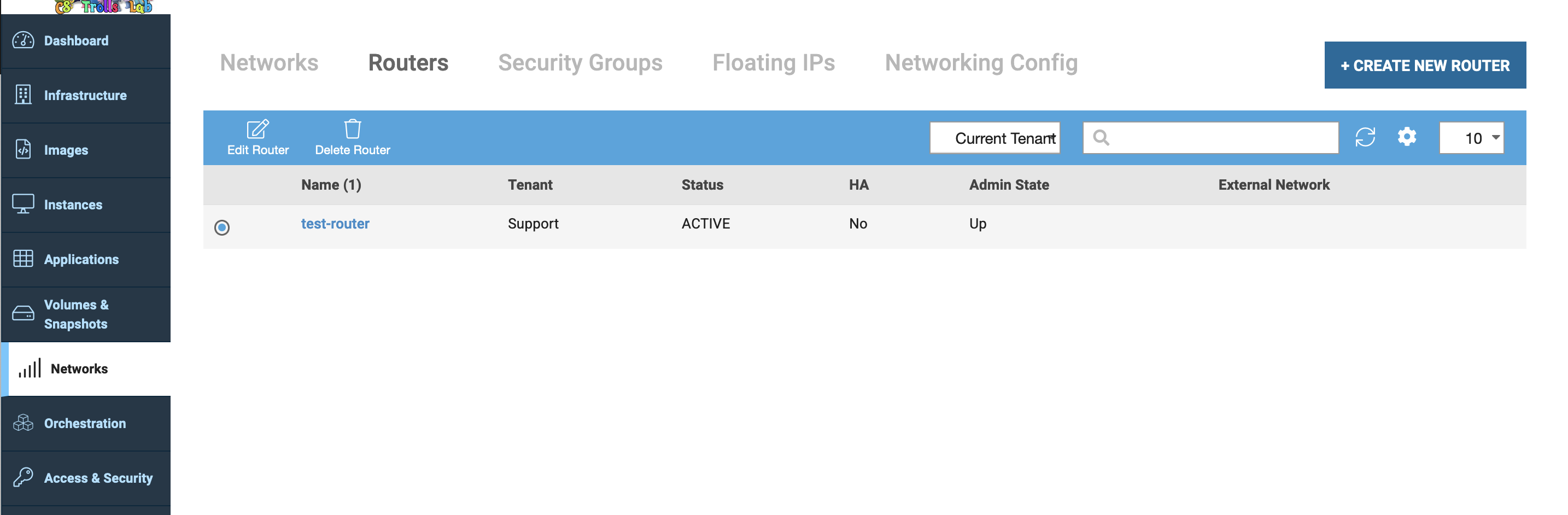
To enable HA for any router, navigate to the "Networks" tab in the Platform9 UI to the router subsection.
Select the router and click edit.
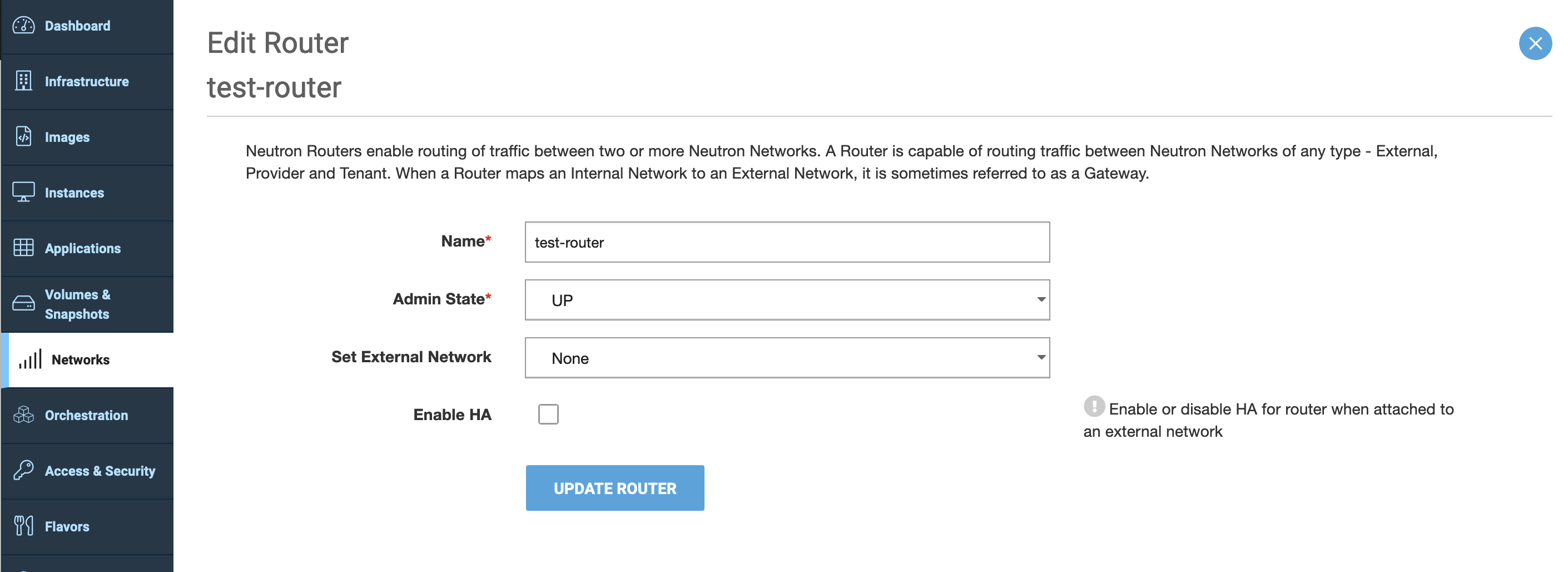
Select the checkbox to "Enable HA" option and save the changes.
Last updated on
Was this page helpful?
Frequently Asked Questions
Solution
How To
Internal Only
Templates
Powered by
