
Frequently Asked Questions
Solution
Internal Only
Templates
Powered By

Problem
Similar to tenant quotas, you can enforce quotas per user. This can be used to prevent users from monopolizing resources in a multi-user tenant.
Environment
- Platform9 Managed OpenStack - All Versions
- Nova
- OpenStack CLI
- Nova CLI
Procedure
Using the Clarity UI
- Log in using your admin account.
- Select the 'Tenants and Users' tab on the menu to the left of the page.
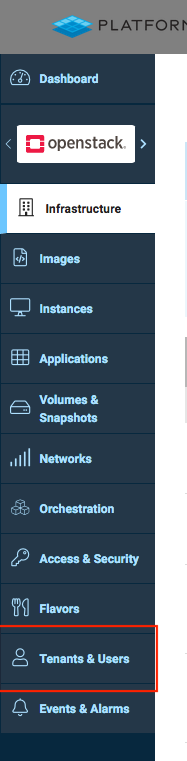
Screen_Shot_2020-01-23_at_11.46.21_AM.png
- Switch to the 'Users' tab and use the radio button to select the user whose quotas you want to set and click on 'Edit User'.
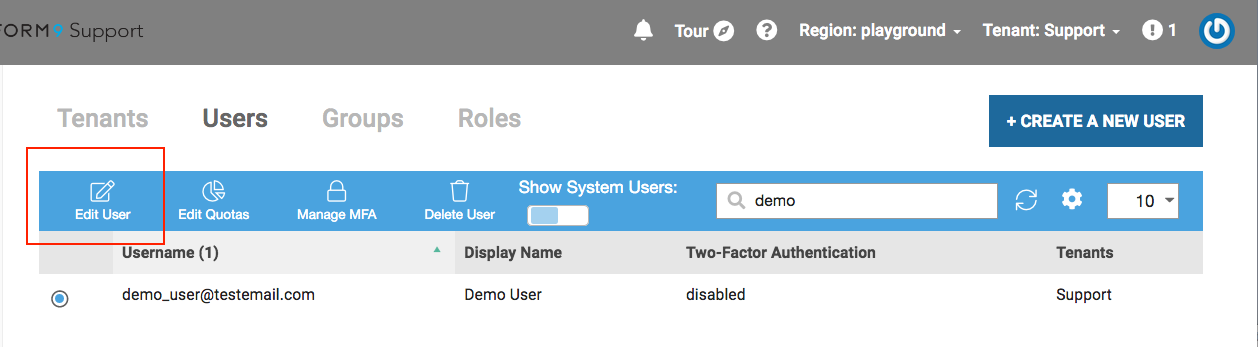
Screen_Shot_2020-01-23_at_11.55.29_AM.png
- Set the desired quotas for the user. Ensure that the 'Enable user-level quota for the playground region and [tenant_name] tenant.' checkbox is selected.
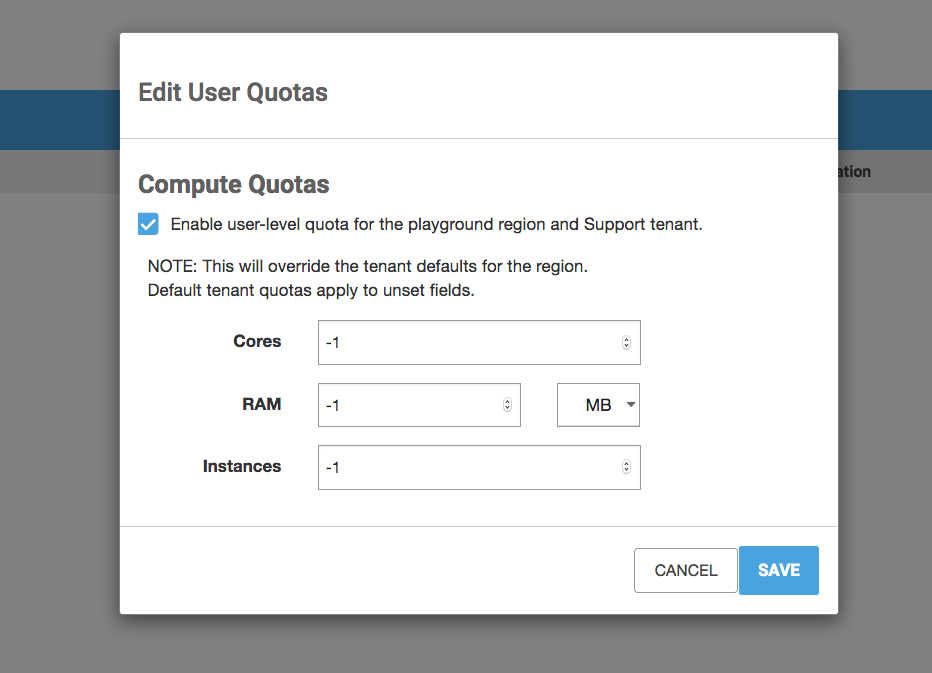
Screen_Shot_2020-01-23_at_11.59.48_AM.png
- Click on 'Save'.
Using the CLI
- Source your admin RC file.
- Get the UUID of the user whose quotas you want to admin.
- Get the UUID of the project the user belongs to.
- Check the existing quotas for the user.
- Update the quota for the user.
- Repeat Step #4 to verify the quotas have been updated successfully.
Additional Information
Was this page helpful?